
HB788 Game has a withdrawal section where users can request money from their gaming accounts. The app shows three payment options for Pakistani users: JazzCash, EasyPaisa, and Bank Account. Players can check their wallet balance, withdrawal amount, and payment details before submitting a request.
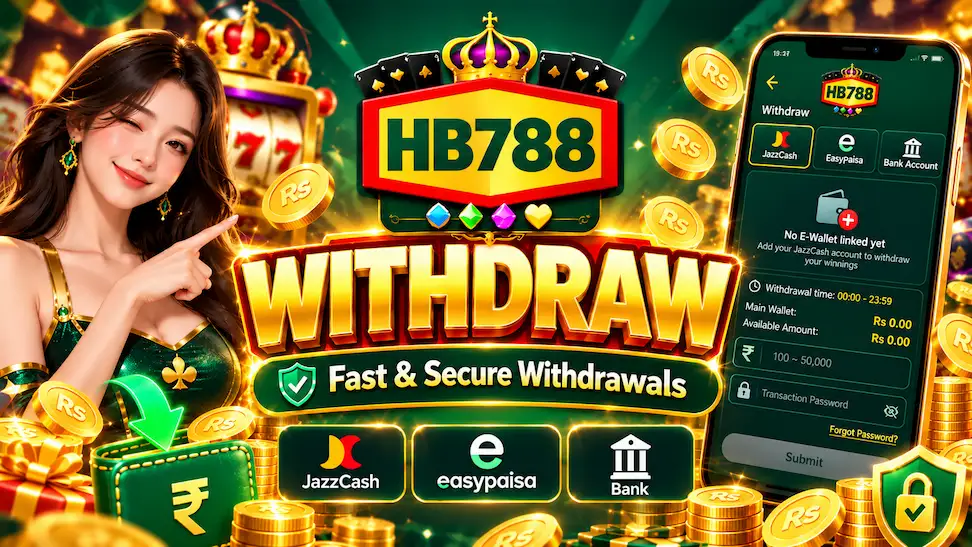
The HB788 Withdraw page also shows the withdrawal timing, daily limits, and transaction password field. Users need to link a payment account before requesting money. This guide explains the withdrawal process, supported methods, limits, and common problems in simple steps. However, submitting a request does not guarantee that the payment will be successful.
What is HB788 Withdraw?
HB788 Withdraw is a payment feature available inside the HB788 Game platform. It allows users to request a transfer from their available gaming balance to a supported payment account.
The Withdraw button appears on the home screen beside the Deposit button. Users can also find withdrawal-related options inside the Member Center.
The withdrawal page displays the main wallet balance, available amount, and transaction password field. It also shows a Withdrawal Record option where users can check their payment history.
If you are new to this platform, read the HB788 Game Guide to understand its main features and account options.
How to Withdraw Money from HB788 Game
The HB788 withdrawal process involves selecting a payment method, linking an account, entering the amount, and confirming the request. Here are the general steps.
- Open HB788 Game: Visit the website or open the Android app.
- Login to Your Account: Enter your registered account details.
- Tap Withdraw: Find the Withdraw button on the home screen.
- Choose a Payment Method: Select JazzCash, EasyPaisa, or Bank Account.
- Link Your Payment Account: Tap the red + button if you need to add an account.
- Check Your Balance: Review the Main Wallet and Available Amount.
- Enter Withdrawal Amount: Type an amount within the displayed withdrawal limits.
- Enter Transaction Password: Provide the required transaction password.
- Review Your Details: Make sure the payment information and amount are correct.
- Tap Submit: Send the request and check the Withdrawal Record for updates.
The exact steps may change depending on the selected payment method and app version. Always check the current rules before requesting a payment.
Which Withdrawal Methods Does HB788 Support?
HB788 Game displays three withdrawal options: JazzCash, EasyPaisa, and Bank Account. These options appear at the top of the withdrawal page.
1. HB788 JazzCash Withdrawal
JazzCash is one of the withdrawal methods shown in HB788 Game. The JazzCash tab includes an option for linking a mobile wallet to the account.
How to set up JazzCash withdrawal:
- Open the HB788 withdrawal page.
- Select the JazzCash tab.
- Tap the red + button to add a wallet.
- Enter the required JazzCash account information.
- Follow the instructions to link the wallet.
- Check the account details carefully.
- Enter an eligible withdrawal amount.
- Type your transaction password and review the request.
- Submit the request if all details are correct.
2. HB788 EasyPaisa Withdrawal
EasyPaisa is another payment option visible in the HB788 withdrawal menu. Users can select this tab to check the available EasyPaisa settings.
How to check EasyPaisa withdrawal:
- Open the Withdrawal section.
- Tap the EasyPaisa option.
- Check whether an EasyPaisa wallet is linked.
- Follow the displayed instructions to add a wallet if required.
- Review the wallet information.
- Check your available withdrawal amount.
- Enter the required amount and transaction password.
- Review the request before submitting.
3. HB788 Bank Account Withdrawal
The HB788 withdrawal page also includes a Bank Account option. This section is intended for users who want to request payment through a supported bank.
How to check bank withdrawal:
- Login to your HB788 account.
- Open the Withdraw section.
- Select Bank Account from the payment menu.
- Check the available bank account options.
- Enter the requested bank information if needed.
- Review the account holder details.
- Check your withdrawal amount and available balance.
- Enter the transaction password.
- Review and submit the request.
HB788 Withdrawal Limits and Timing
The HB788 withdrawal information about payment timing, amount limits, and daily withdrawal requests.
| Withdrawal Details | Information |
| Payment Methods | JazzCash, EasyPaisa, Bank Account |
| Withdrawal Time | 00:00 – 23:59 |
| Minimum Amount Shown | Rs 100 |
| Maximum Amount Shown | Rs 50,000 |
| Daily Withdrawal Count | 20 Times |
| Transaction Password | Required |
| Account Linking | Available |
The withdrawal page shows an amount range of Rs 100 to Rs 50,000. It also displays a daily withdrawal count of 20 times.
The example account shows zero remaining withdrawals. These values are taken from the supplied screenshot and may differ between accounts or after platform updates.
The displayed withdrawal time of 00:00–23:59 does not mean that payments are completed instantly.
How to Link a JazzCash or EasyPaisa Account
Before requesting a withdrawal, users may need to connect a supported payment wallet to their HB788 account.
The JazzCash screenshot shows a red + button for adding a payment account.
- Open the Withdrawal page.
- Select JazzCash or EasyPaisa.
- Look for the option to add a wallet.
- Enter the requested wallet details.
- Review the mobile number and account information.
- Follow any verification instructions.
- Save the account details if the platform allows it.
- Return to the withdrawal page and check the linked wallet.
Only add a wallet that belongs to you. Never share your mobile wallet PIN, OTP, or password with anyone.
What is the HB788 Transaction Password?
The HB788 withdrawal form includes a Transaction Password field. This is a security step used when submitting a withdrawal request.
A transaction password may be different from the password used to login to the account. Users should enter the password requested by the platform and keep it private.
The withdrawal screen also shows a Forgot Password? option.
If you forget your transaction password:
- Open the HB788 withdrawal page.
- Find Forgot Password below the password field.
- Tap the option to check the available recovery process.
- Complete any required account verification.
- Follow the instructions to reset the password.
- Return to the withdrawal page after recovery.
The exact password recovery screens have not been confirmed. If recovery does not work, use the official customer support section.
For normal account access problems, read the HB788 Login Guide.
How to Check HB788 Withdrawal Status
HB788 Game has a Withdrawal Record option inside the Member Center. This section is useful for checking the history of withdrawal requests.
Steps to check your withdrawal record:
- Open your HB788 Game account.
- Tap Member or My Account.
- Find the Withdrawal Record option.
- Open the transaction history.
- Look for the withdrawal you want to check.
- Review the available payment information.
- Contact support if the status is unclear.
Keep any withdrawal reference or transaction information provided by the platform. This may help when reporting a missing payment.
Common HB788 Withdrawal Problems and Solutions
Sometimes users may face problems when requesting a withdrawal. The following are common issues to check.
1. HB788 Withdrawal Pending
A pending withdrawal means the request may not have finished processing.
Check the Withdrawal Record and review the payment rules. Processing times have not been independently confirmed, so avoid assuming the money will arrive within a fixed period.
2. HB788 Withdrawal Not Working
If the Submit button does not work, check whether a payment account is linked, whether the entered amount is within the allowed range, and whether the transaction password is correct.
The screenshot also shows a remaining withdrawal count. If this count is zero, the platform may not allow another request.
3. Wrong JazzCash or EasyPaisa Details
Incorrect wallet information can cause payment problems.
Check the mobile wallet number and other required details before submitting. Do not enter another person’s payment information without permission.
4. Insufficient Available Balance
The withdrawal page displays both Main Wallet and Available Amount.
These amounts may not always be equal. Users should check the available balance before entering a withdrawal amount.
5. Incorrect Transaction Password
If the platform rejects your transaction password, check the details and use the official Forgot Password option if needed.
Do not share the password with anyone who claims they can process the payment for you.
6. Withdrawal Request Rejected
A withdrawal may be rejected because of payment details, account restrictions, verification rules, or other platform conditions.
Check any message shown in the account and contact official support for the reason.
7. Withdrawal Marked Complete but Not Received
If a request is marked complete but the money has not arrived, check the receiving wallet or bank account.
Keep the transaction details and contact the payment provider and official platform support. Never provide your OTP or banking PIN.
HB788 Deposit vs Withdraw – What is the Difference?
HB788 Game has separate Deposit and Withdraw options. Both are used for account payments, but they have different purposes.
| HB788 Deposit | HB788 Withdraw |
| Used to add money | Used to request money |
| May increase wallet balance | May reduce available balance |
| Has Deposit Record | Has Withdrawal Record |
| Requires checking payment methods | Requires checking cash-out rules |
| May involve deposit conditions | May involve verification and limits |
Understanding both payment options is important before using real money.
For more information, visit the HB788 Deposit Guide.
Important Tips for HB788 Withdrawals
Users should follow basic payment safety steps when using the withdrawal feature.
- Check your wallet or bank account details before submitting.
- Read the current minimum and maximum withdrawal limits.
- Keep your transaction password private.
- Never share your banking PIN or OTP.
- Check the Withdrawal Record after submitting a request.
- Avoid sending extra money to unknown payment agents.
- Read bonus conditions that may affect withdrawals.
- Contact official support if a payment is delayed or rejected.
A person asking for extra money to release a withdrawal can be a warning sign of fraud.
Our Review
After checking the HB788 withdrawal screenshot, I found the payment section quite clear. JazzCash, EasyPaisa, and Bank Account are displayed at the top, while the wallet balance, withdrawal amount, and transaction password fields appear below. I also like that the screen shows the withdrawal limits before the Submit button.
However, I cannot confirm successful JazzCash, EasyPaisa, or bank payouts from the screenshots alone. The payment options are visible, but their processing reliability has not been verified. I would check the current rules and avoid sending more money to resolve a pending withdrawal.
FAQs About HB788 Withdraw
How can I withdraw money from HB788 Game?
Open the Withdrawal section, select a supported payment method, link your account if required, enter the eligible amount and transaction password, then review and submit the request.
Does HB788 support JazzCash withdrawal?
Yes, JazzCash is shown as a withdrawal option in the supplied screenshot. Successful payment processing has not been independently verified.
Can I withdraw money using EasyPaisa?
EasyPaisa appears as an available withdrawal tab. Check its current account linking instructions and payment conditions inside the app.
What is the minimum HB788 withdrawal amount?
The minimum withdrawal amount of Rs 100.
What is the maximum HB788 withdrawal amount?
The maximum amount of Rs 50,000. Actual limits may vary depending on the platform’s current rules.
How many times can I withdraw from HB788 in one day?
Daily withdrawal count of 20 times. The example account has zero remaining requests.
What should I do if I forget my transaction password?
Use the Forgot Password option on the withdrawal page and follow the recovery instructions.
How long does an HB788 withdrawal take?
The withdrawal processing time has not been confirmed. The displayed 00:00–23:59 time refers to the withdrawal time window, not guaranteed payment speed.
Conclusion
HB788 Game has a withdrawal page with JazzCash, EasyPaisa, and Bank Account options. The platform also displays withdrawal limits, wallet balance, transaction password, and payment records. These features help users review their details before making a request.
The withdrawal range of Rs 100 to Rs 50,000 and a daily count of 20 requests, but these details may change. Before using the withdrawal feature, check the current payment rules, confirm your account information, and keep your passwords secure. Remember that real-money gaming carries financial risks, and a withdrawal request does not guarantee payment.